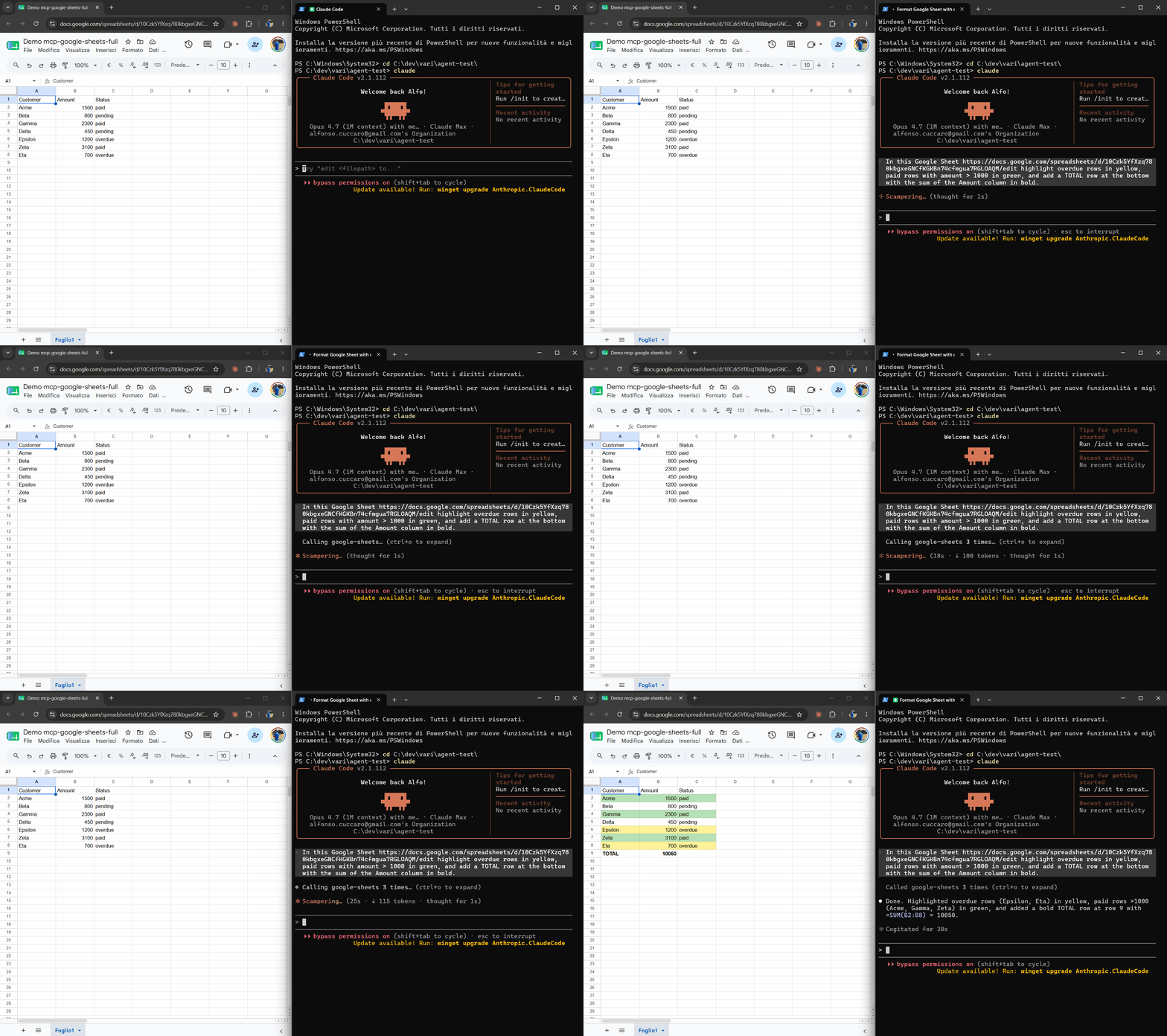
The only Google Sheets MCP server that can do anything the Sheets API can. Two auth modes: OAuth (default) or service account (opt-in).
$npm install -g mcp-google-sheets-full
Then register in Claude Code: claude mcp add google-sheets -- mcp-google-sheets-full --scope user
Most Google Sheets MCP servers expose a curated set of operations and stop there. If you need something they didn't anticipate — a particular conditional-format request, a multi-step migration, a Drive-side operation, an analysis-then-write workflow — you're stuck.
This one adds the missing primitive: run_sheets_script. Pass a snippet of Node code, get back the result. The Sheets v4 and Drive v3 clients are already authenticated and in scope. The temp file is always cleaned up.
| mcp-google-sheets-full | freema/mcp-gsheets | xing5/mcp-google-sheets | ringo380/... | |
|---|---|---|---|---|
| Read / write / append / clear | ✓ | ✓ | ✓ | ✓ |
| Structural batchUpdate (raw) | ✓ | partial | ✗ | ✗ |
| Granular tabs / rows / format / borders | ✓ | ✓ | partial | ✗ |
| Drive search (list / search_spreadsheets) | ✓ | ✗ | partial | ✗ |
Arbitrary code execution (run_sheets_script) |
✓ | ✗ | ✗ | ✗ |
| Auth modes | OAuth default + Service Account opt-in | service-account-first | both | both |
| Language | TypeScript / Node | TypeScript / Node | Python | Python |
run_sheets_script executes Node code on your machine, under your user account, against your OAuth token. The trust boundary is the same as any tool that lets Claude run code on your behalf (Bash, Edit, Write):
os.tmpdir(), executed via node, deleted on completion (success or failure).~/.mcp-google-sheets/.Not comfortable with code execution? Don't call run_sheets_script — the other 25 tools cover the common cases without it.